
Action Item Tracker Template: Owners, Due Dates, and Definition of Done
If action items keep slipping, it’s rarely a motivation problem—it’s usually a clarity problem: no true owner, fuzzy due dates, and no shared definition of done.
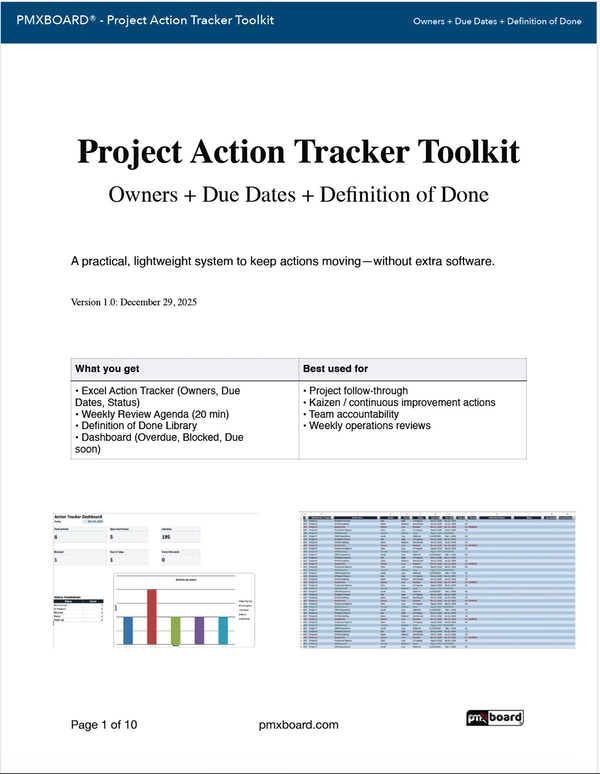
The fix is simple: standardize your action tracking so every task has one owner, a real due date, and a definition of done that removes ambiguity. Below is a practical structure you can copy immediately—and a free toolkit you can download to run it.
Free download: Project Action Tracker Toolkit (PDF + Excel)
A clean action tracker + a weekly review agenda so owners, due dates, and “done” stay visible—without extra meetings.
Why action items slip (even with good people)
- Shared ownership (“we’ll handle it”) means no ownership.
- Soft dates (“ASAP”, “next week”) don’t drive planning.
- Unclear done creates rework and mismatched expectations.
- No cadence means nobody notices drift until it’s late.
The 3-field upgrade that fixes 80% of issues
1) Owner
One person accountable. Others can support, but the owner drives the close.
2) Due date
A date you can schedule around. If it’s not real, you’ll miss it.
3) Definition of done
A short acceptance statement (“done means…”). This removes “almost done” ambiguity.
Example: turning a vague action into a trackable commitment
Before
“Update the customer onboarding document soon.”
After
Owner: Jordan
Due date: Friday (Jan 12)
Done means: v3.0 published + reviewed by Sales lead + link posted in #onboarding.
Due date: Friday (Jan 12)
Done means: v3.0 published + reviewed by Sales lead + link posted in #onboarding.
The weekly review that keeps the tracker alive (15 minutes)
- Scan due items first: due this week and overdue.
- Resolve blockers: if blocked, decide the next step on the call.
- Confirm “done”: close items only when the definition is met.
- Re-date consciously: if due date changes, capture the reason.
- Assign new actions with owner + due date + done definition on the spot.
Tip: If your review runs long, your tracker is trying to do too much. Keep actions small and specific.
Want the exact tracker + agenda in one kit?
Download the Project Action Tracker Toolkit and standardize execution in minutes.
If you prefer tracking visually on a board
These pair well with the toolkit when your team wants a “wall of truth” for actions and deadlines.
Need help picking the right toolkit? Email us at This email address is being protected from spambots. You need JavaScript enabled to view it. .
