
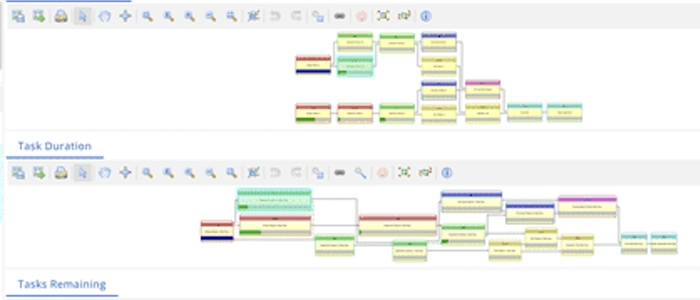
How to Visualize Dependencies Without Creating Chaos
Dependencies are where “simple” projects go to die.
A feature can’t ship because another team hasn’t delivered an API. A launch slips because legal review is waiting on updated copy. A critical task is blocked—yet nobody notices until the deadline is two days away.
So teams try to fix it by “tracking dependencies.”
And that’s where things often go sideways: giant spreadsheets, complex diagrams, overloaded Gantt charts, endless status meetings… and still, surprises.
The goal isn’t to create the perfect dependency map. The goal is to build a clear, lightweight visual system that answers three questions at a glance:
- What depends on what?
- Who owns the next move?
- What could block delivery soon?
Why dependency tracking becomes chaos
Most dependency systems fail for predictable reasons:
- Too much detail: you track every tiny handoff and drown in updates.
- No clear ownership: “We’re waiting on them” becomes everyone’s excuse.
- Dependencies are invisible day-to-day: people only talk about them in meetings.
- No standard language: “blocked,” “at risk,” and “waiting” mean different things to different teams.
The fix is not “more tracking.” It’s better visualization with rules that make dependencies hard to ignore.
The dependency visibility rule (simple and powerful)
If a dependency can delay delivery, it must be visible in the same place where work is planned and reviewed.
That means dependencies shouldn’t live in a separate slide deck. They belong on a shared visual workspace—where the team naturally looks every day.
If you’re building better decision visibility overall, this pairs well with: Visual Workflows: How Seeing Work Improves Decision Making.
4 practical ways to visualize dependencies (without overengineering)
1) Use “dependency cards” as first-class work items
Instead of hiding dependencies inside task descriptions, make them visible as their own cards.
Each dependency card should include:
- From: the work item that is blocked
- To: the delivering team/person
- What’s needed: a short, specific deliverable
- By when: the latest safe date (not the final deadline)
- Status: Requested / Accepted / In Progress / Delivered
This prevents the classic problem: “We mentioned it once, so we assumed it was handled.”
2) Separate “work flow” from “dependency flow”
Trying to cram dependencies into your main Kanban columns usually creates clutter. A cleaner approach is a dedicated, compact dependency area next to your main board.
A simple layout:
- Requested
- Accepted
- In Progress
- Delivered
Now you can manage dependencies like work—without mixing them into every team member’s tasks.
3) Add a “dependency lane” (only for critical items)
Swimlanes are perfect for keeping critical information visible without disrupting the whole board.
Create a top swimlane called:
- External Dependencies (or Blocked by Others)
Only place items here if:
- They can delay the sprint / milestone, and
- The next action is outside your team’s control
This keeps the lane meaningful and prevents everything from becoming “blocked.”
4) Use “connectors” instead of complex diagrams
If you need to show relationships quickly, you don’t need a complicated dependency graph.
Try these low-chaos connectors:
- Matching IDs: Tag related cards with the same short code (e.g., DEP-12).
- Color signals: One color for “blocked,” another for “blocking others.”
- String-line mapping: In an Obeya room, connect dependent items with thin string or removable lines (only for the top risks).
The key is to visualize only the dependencies that matter, not every possible connection.
The “dependency hygiene” checklist
If you want dependencies to stay clean, adopt a few rules:
Rule 1: No orphan dependencies
If a dependency is visible, it must have an owner and a next action.
Rule 2: Review dependencies on a schedule
Pick a cadence (daily 2 minutes, or 2x/week) and scan:
- What’s new?
- What’s stuck?
- What’s close to the risk date?
Rule 3: Track “latest safe date,” not “deadline”
If you wait until the real deadline, you’ll always be late. A latest safe date creates buffer and forces early action.
Rule 4: Escalate with data, not frustration
When something is blocked, escalation should include:
- What is blocked (impact)
- What is needed (deliverable)
- By when (latest safe date)
- Who needs to decide (owner)
Where dependency visualization works best: Portfolio + Obeya
Dependencies multiply as you scale from one team to many.
If you manage multiple initiatives at once, dependency visualization becomes a portfolio problem—not a team problem. That’s where portfolio boards and Obeya rooms shine because they create a shared “big picture” space for cross-team alignment.
Recommended next reads:
- Portfolio Management for Teams: How to Manage Multiple Projects
- Project Obeya Rooms: How High-Performing Teams Align
Final Thoughts
You don’t need a perfect dependency model. You need a system that makes dependencies visible, owned, and actionable.
Start small:
- Make dependencies explicit (dependency cards)
- Keep them separate but adjacent (dependency mini-flow)
- Highlight only what can truly delay you (dependency swimlane)
- Review them frequently (short scans beat long meetings)
If you build your visual system this way, dependency tracking stops being chaotic—and becomes one of the fastest ways to improve delivery reliability.
More helpful visuals: Visual Management Boards: Examples & Templates
