
Visual Workflows: How Seeing Work Improves Decision Making
Most teams don’t suffer from a lack of effort — they suffer from a lack of visibility.
When work lives in scattered tools, inboxes, and people’s heads, decisions become slower, riskier, and more political. Priorities get debated instead of clarified. Problems get discovered late. And leaders end up managing by assumption.
A visual workflow fixes that by turning work into something you can see, discuss, and improve. It creates a shared reality — and shared reality is the foundation of good decisions.
What Is a Visual Workflow?
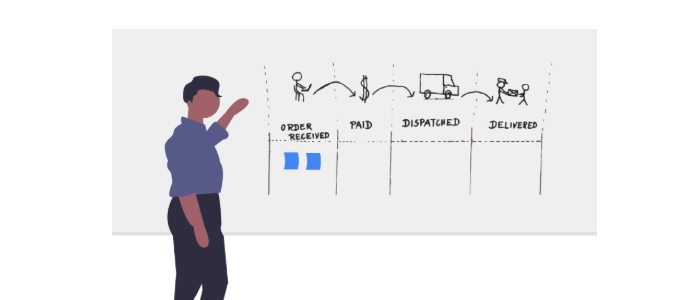
A visual workflow is a clear, shared representation of how work moves from “not started” to “done.”
It usually includes:
- Stages (e.g., To Do → In Progress → Review → Done)
- Work items (cards that represent tasks, requests, or deliverables)
- Ownership (who is responsible for what)
- Signals (blockers, priorities, due dates, or risk indicators)
When these elements are visible in one place, teams stop guessing — and start deciding based on what’s actually happening.
Why Seeing Work Improves Decision Making
1) It makes priorities undeniable
When everything is “urgent” in someone’s inbox, the loudest voice often wins. A visual workflow forces the team to rank and reveal priorities.
If there are 18 items in progress and only 3 people available, the board tells the truth: you’re overcommitted. That clarity enables better decisions like “what do we stop?” and “what matters most?”
2) It exposes bottlenecks early
In hidden workflows, bottlenecks show up as missed deadlines. In visual workflows, bottlenecks show up as piles.
If “Review” keeps growing, the decision becomes clear: either reduce intake, add review capacity, or change the process. Visual workflows turn vague frustration into actionable evidence.
3) It reduces decision fatigue
When work is unclear, every decision requires re-discovery: What’s in progress? What’s blocked? Who owns it? What’s next?
A good visual workflow answers those questions instantly. That means fewer status meetings, fewer “quick check-ins,” and more mental energy for real decisions.
4) It creates a shared reality (and reduces conflict)
Many team conflicts are really visibility problems. People disagree because they’re operating from different information.
A visual workflow gives everyone the same picture: what’s planned, what’s active, what’s blocked, and what’s waiting. That shared reality shifts conversations from blame to problem-solving.
5) It improves risk detection and response time
Risks become visible when you add simple signals:
- Blocker markers for stuck work
- Due-date flags for time-sensitive items
- Priority indicators for critical work
Instead of discovering risk at the deadline, you see it while there’s still time to act.
The Decision-Making Wins You’ll Notice First
- Faster prioritization: The board makes tradeoffs obvious.
- Better daily coordination: Teams align in minutes, not hours.
- Clearer escalation: Blockers are visible and impossible to ignore.
- Smarter staffing decisions: Work piles show where help is actually needed.
How to Build a Visual Workflow That Drives Better Decisions
Step 1: Map your real workflow (not the ideal one)
Start by identifying the actual stages work goes through. Keep it simple. If your board has 12 columns, people won’t use it.
A strong starting point is 4–6 stages.
Step 2: Define what each stage means
Ambiguous columns create ambiguity in decisions. Define entry/exit rules, especially for stages like “In Progress” and “Review.”
Example: “Review” means the work is complete and ready for approval — not “someone might look at it someday.”
Step 3: Add signals that support decisions
Decisions improve when the board communicates key information without extra explanation:
- Owner (name/initials)
- Priority (P1/P2/P3 or similar)
- Due date (when time matters)
- Blocker (why it’s stuck)
Step 4: Use swimlanes to separate “types” of work
Swimlanes make decision-making faster because they reduce clutter and prevent critical work from being buried.
Common swimlane setups:
- Expedite / Urgent vs Standard work
- Customer requests vs Internal improvements
- Projects vs Operational work
Step 5: Set a simple WIP rule
If everything is in progress, nothing is truly in progress. Even a basic WIP guideline like “no more than 2 items per person” creates better decisions immediately.
When WIP is limited, the team is forced to decide what deserves attention now — and what must wait.
Step 6: Create a short cadence to use the board
A visual workflow only improves decisions if the team looks at it together.
Try a 10–15 minute daily huddle with three questions:
- What is blocked?
- What is the highest priority to finish today?
- Where are we overloaded?
Common Mistakes That Reduce the Value of Visual Workflows
- Too many columns: Overdesign reduces adoption.
- Unclear rules: If “Done” isn’t really done, decisions stay fuzzy.
- No ownership: Work without an owner becomes invisible again.
- No routine: If the board isn’t reviewed, it becomes wallpaper.
Related Reading
- How to Use Swimlanes to Improve Team Clarity
- Kanban Swimlanes: What They Are & How to Use Them
- What Are Swimlanes? (Kanban & Agile Explained)
- Kanban Board Examples from Real Teams
- Visual Workflows: How Seeing Work Improves Decision Making
- Daily Management Boards: How Leaders Stay Aligned
- How to Run a Daily Huddle That Actually Works
- How to Use Visual KPIs for Daily Leadership
Final Thoughts
Better decisions don’t come from more meetings or more tools. They come from clearer information.
Visual workflows create clarity by making work, priorities, and constraints visible. When everyone can see the same reality, teams decide faster, coordinate better, and improve continuously — without the chaos of constant guesswork.
