
Project Status Report Format (Weekly & Monthly): What Executives Actually Want
Most project status reports fail for one reason: they’re written like a diary, not a decision tool. Executives don’t need every detail—they need a clear snapshot of delivery health, what changed, and what you need from them.
The executive test: can they scan it in 60 seconds?
If a leader can’t answer these questions quickly, your status report will get ignored:
- Are we on track? (schedule, budget, delivery health)
- What changed since last update? (progress + forecast)
- What risks/issues could derail us? (RAID)
- What do you need from me? (decisions + escalations)
- Who owns the next steps? (actions + due dates)
A simple one-page project status report structure
Here’s a clean structure you can reuse weekly, regardless of project type:
1) Snapshot (top of page)
- Overall status: Green / Yellow / Red (with one-line reason if not green)
- Schedule: on track / at risk / slipping (with milestone date)
- Budget: on track / variance (include percent or amount)
- Scope: stable / changed (briefly describe change)
2) Progress highlights (what moved)
- 2–4 bullets: completed outcomes, not activities
- One bullet for the next milestone and confidence level
3) Forecast (what’s next)
- What you expect to complete before the next update
- Dependencies you need from other teams
4) RAID (Risks, Assumptions, Issues, Dependencies)
Keep RAID lean. Only track items that matter to leadership decisions. Each item should include:
- Impact (what breaks if it happens)
- Owner
- Due date / next review date
5) Decisions & escalations (the “ask” section)
This is the most valuable part of a status report. If leadership can’t act, the report becomes passive.
- What decision is needed?
- By when?
- What options are on the table?
- What do you recommend?
6) Action tracker (accountability)
- Action
- Owner
- Due date
- Status / next step
Weekly vs monthly status reports: what changes?
Weekly project status report
Weekly reporting is execution-focused. Keep it short and consistent. The goal is to surface risk early and keep decisions moving.
Monthly executive update
Monthly reporting is trend-focused. Summarize trajectory: milestone progress, key risks, budget posture, and forecast. It’s ideal for steering committees and portfolio reviews.
How to keep status reporting fast (without sacrificing quality)
- Update KPIs first: if the snapshot isn’t clear, nothing else matters.
- Write outcomes, not effort: “completed X” beats “worked on X.”
- One-page discipline: force clarity by limiting space.
- Always include asks: if you need nothing, say “No decisions needed this week.”
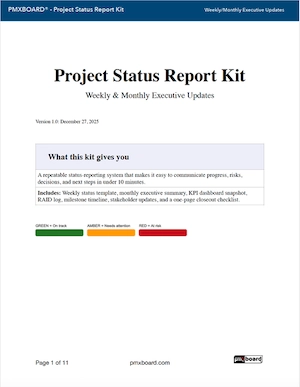
Free template: Project Status Report Kit (Weekly & Monthly PDFs)
If you want a ready-to-use set of templates (weekly + monthly) with KPI snapshot, RAID sections, decisions/escalations, and an action tracker, grab the free kit here:
Download the Project Status Report Kit (Free PDF)
Related reading (recommended)
- Visual Project Management: Why Seeing Work Beats Tracking Work
- Portfolio Management for Teams: How to Manage Multiple Projects
FAQ
What’s the best length for a project status report?
One page is ideal for weekly updates. If you need more, push detail into an appendix and keep the executive view clean.
Should I use Green/Yellow/Red status?
Yes—if it’s tied to clear rules (schedule variance, budget variance, scope change, risk level). The point is fast signal, not politics.
