
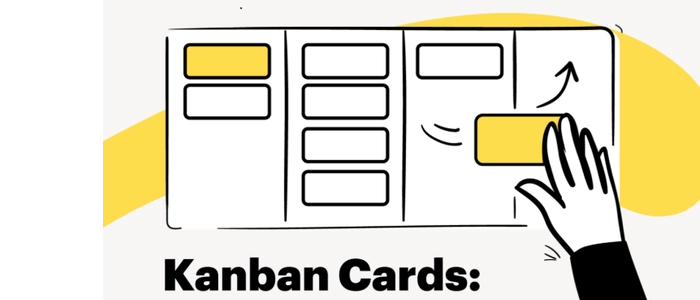
Kanban Cards: How to Use Them the Right Way
Kanban cards are simple — but when used incorrectly, they can quietly destroy flow instead of improving it.
Many teams adopt Kanban boards but never learn how to use Kanban cards properly. The result? Overloaded cards, unclear ownership, endless work-in-progress, and a board that looks busy but delivers very little.
This guide shows you how to use Kanban cards the right way — so they actually support focus, flow, and delivery instead of becoming digital sticky notes on a wall.
What Is a Kanban Card?
A Kanban card represents a single unit of work moving through your system.
It answers one core question:
“What exactly is being worked on right now?”
Each card should represent something that can move, finish, and deliver value — not vague intentions or massive projects.
What a Kanban Card Should Include
Well-designed Kanban cards balance clarity with simplicity.
Essential Elements
- Clear title: Short, action-oriented, and specific
- Owner: One accountable person (even if multiple people help)
- Definition of done: What “finished” actually means
Optional (But Useful)
- Due date or service-level expectation
- Blocker indicator
- Size or complexity hint
If a card needs paragraphs of explanation, it’s probably too big.
The #1 Rule: One Card = One Deliverable
The most common Kanban mistake is putting too much work on one card.
A good test:
If the card can’t reasonably move to “Done” within a few days, split it.
This keeps flow visible and prevents work from getting stuck in progress forever.
How Kanban Cards Move Across the Board
Kanban cards should move — not sit.
Each column on your board represents a state of work, not a department. Cards should only move when the work state truly changes.
Common Columns
- To Do
- In Progress
- Review / Testing
- Done
When cards stop moving, that’s a signal — not a failure.
Using Kanban Cards to Control Work-in-Progress
Kanban cards make WIP visible — but only if you limit it.
If your “In Progress” column is overflowing, the board is telling you something important.
Understanding flow metrics helps here:
- What Is Takt Time? The Simplest Explanation
- What Is Cycle Time? (Beginner Lean Guide)
- What Is Lead Time vs Lag Time? (Easy Explanation)
Kanban cards make these delays visible — so teams can fix systems instead of pushing people harder.
Kanban Cards vs Scrum Artifacts
Teams often mix Kanban and Scrum — which is fine — but they serve different purposes.
- Scrum focuses on timeboxed commitments
- Kanban focuses on continuous flow
If you’re using both, these guides help clarify the boundaries:
- What Is Scrum? A Complete Beginner’s Overview
- Scrum Roles Explained: Who Does What on an Agile Team?
- Scrum Ceremonies Explained: When and How They Work
- Sprint Planning Guide: How to Run a High-Impact Sprint
- Story Points vs Hours: Which Should Your Team Use?
Common Kanban Card Mistakes (And How to Fix Them)
❌ Cards That Never Move
Fix: Break work into smaller deliverables.
❌ Too Many Cards in Progress
Fix: Set WIP limits and finish before starting.
❌ No Clear Owner
Fix: Assign one accountable person per card.
❌ Cards Used as Status Reports
Fix: Cards should drive action, not documentation.
Physical Kanban Cards vs Digital Cards
Physical Kanban cards create friction — in a good way.
When you physically move a card, you:
- Notice work piling up
- Feel the cost of multitasking
- Create shared awareness
This is why many high-performing teams still use physical boards — even with digital tools available.
Final Thoughts
Kanban cards are not decorations. They are signals.
When used correctly, they expose bottlenecks, protect focus, and make improvement unavoidable.
When used poorly, they hide problems behind busy-looking boards.
Product Tie-In — PMXBOARD Kanban Cards
PMXBOARD Kanban Cards are designed to support real flow — with clear layouts, reusable materials, and magnetic strength that makes movement effortless. When your cards are easy to move, update, and see, your system stays honest — and improvement becomes natural.
