
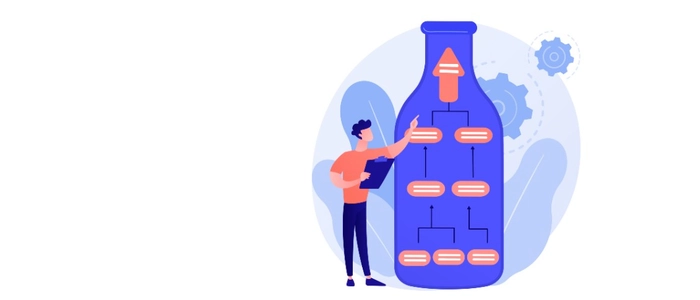
Bottlenecks: How to Identify and Remove Them
A bottleneck is the one point in a process that limits the speed of everything else.
When work piles up in front of a single step, deadlines slip, stress rises, and teams start “working harder” without actually getting more done.
The good news: bottlenecks are not mysterious. With the right visibility and a few practical experiments, you can identify the constraint quickly and remove it (or reduce its impact) without adding headcount.
What Is a Bottleneck?
A bottleneck is a resource, step, or dependency that has less capacity than the demand placed on it. Because everything must flow through it, it sets the pace of the whole system.
Common signs of a bottleneck:
- work queues that keep growing in one stage
- frequent “waiting on…” handoffs
- one person/team constantly overloaded
- cycle time becomes unpredictable
- throughput stalls even when everyone is busy
Why Bottlenecks Matter
If you improve a non-bottleneck step, the system often doesn’t speed up—because the constraint still controls flow.
That’s why bottleneck analysis is so powerful: it focuses your effort where it actually increases throughput and reduces lead time.
How to Identify a Bottleneck (Practical Bottleneck Analysis)
1) Visualize your workflow (don’t guess)
If you can’t see the work, you’ll argue about where the problem “feels” like it is.
Start by mapping your real stages (not ideal stages). A simple board can be enough:
- Backlog
- Ready
- In Progress
- Review / Approval
- Done
Then watch where work accumulates.
2) Look for the biggest, most consistent queue
The largest queue is often the bottleneck—but not always.
Check whether that queue persists over time. A true bottleneck creates a repeating pattern of pileups in the same place.
3) Track cycle time by step (even roughly)
You don’t need perfect data to start. Ask:
- Where does work sit the longest?
- Which stage causes the most “waiting”?
- Which handoff is most painful?
If one stage regularly adds the most delay, you’ve likely found your constraint.
4) Confirm the constraint by observing capacity
Ask: “If we fed this step less work, would the whole system speed up?”
If the answer is yes, it’s a bottleneck. If not, it might be a symptom of something upstream (like batching, unclear requirements, or rework).
How to Remove Bottlenecks (What Actually Works)
1) Reduce WIP before you add resources
When too many tasks are started at once, everything slows down—especially the constraint.
Try a simple rule: start less, finish more. Set a WIP limit on the stage before the bottleneck so work arrives in a manageable flow instead of a flood.
2) Stop batching and push work in smaller pieces
Batching hides problems and creates long waits.
Break work into smaller units that can move through the bottleneck faster. Smaller work items mean:
- less waiting
- faster feedback
- lower risk
- more predictable delivery
3) Protect the bottleneck’s time
If one role is the constraint, don’t let that person/team get pulled into meetings, “urgent” side tasks, or context switching.
Practical moves:
- create focus blocks for the constraint step
- limit interruptions with clear intake rules
- reserve a daily “unblock” window for quick questions
4) Improve quality upstream to reduce rework
Bottlenecks often get worse because the constraint receives unclear or low-quality inputs and must fix issues downstream.
Use a simple “Definition of Ready” before work enters the constrained stage.
5) Add parallelization carefully (cross-train, standardize)
If the constraint is specialized skill, the fastest sustainable fix is often cross-training plus standard work.
Create a repeatable checklist or template for the constrained step so others can help without creating more defects.
6) Elevate the constraint only after you’ve stabilized flow
Sometimes you do need more capacity: tooling, automation, or additional staffing.
But do this last—after you’ve reduced WIP, cut batching, and improved inputs—so the added capacity isn’t immediately swallowed by chaos.
A Simple Weekly Bottleneck Routine
- 5 minutes: Look at the board—where is the biggest queue?
- 10 minutes: Ask why the queue exists (one cause only—avoid laundry lists).
- 15 minutes: Pick one experiment for the week (WIP limit, smaller batches, DoR, focus block).
- Next week: Review: did throughput improve? Did cycle time become more predictable?
Recommended Reading
Same-category links (as provided):
- Visual Workflows: How Seeing Work Improves Decision Making
- Work Visualization: Why Seeing Work Improves Results
- Why Visual Management Outperforms Digital Tools
- Visual Project Management: Why Seeing Work Beats Tracking Work
- KPI Boards: How to Track What Actually Matters
Cross-category links (as provided):
- Bottlenecks: How to Identify and Remove Them
- The Science of Bottlenecks: Why Work Gets Stuck
- How to Reduce Bottlenecks Using Visual Signals
Final Thoughts
Bottlenecks aren’t a sign your team is failing—they’re a sign your system has a constraint.
Do bottleneck analysis visually, reduce WIP, shrink batch sizes, protect the constraint’s time, and improve upstream quality. Those moves usually deliver faster results than “working harder” or adding more tools.
Fix the bottleneck, and the whole system speeds up.
